
Solar O&M Software for Renewable Service Operations
Monitoring tells you something is wrong. Service management is everything that happens next.
ACTIS ERP is the renewable energy ERP built by Alectris, and its service capability covers the operational work that follows an actionable issue: raising the incident, checking the warranty and the contract, dispatching a work order, executing it in the field, recording what was actually done, and closing with a root cause, a downtime figure and a cost. Every one of those records lives in the same system as the plant, the equipment, the contract and the financial data it relates to
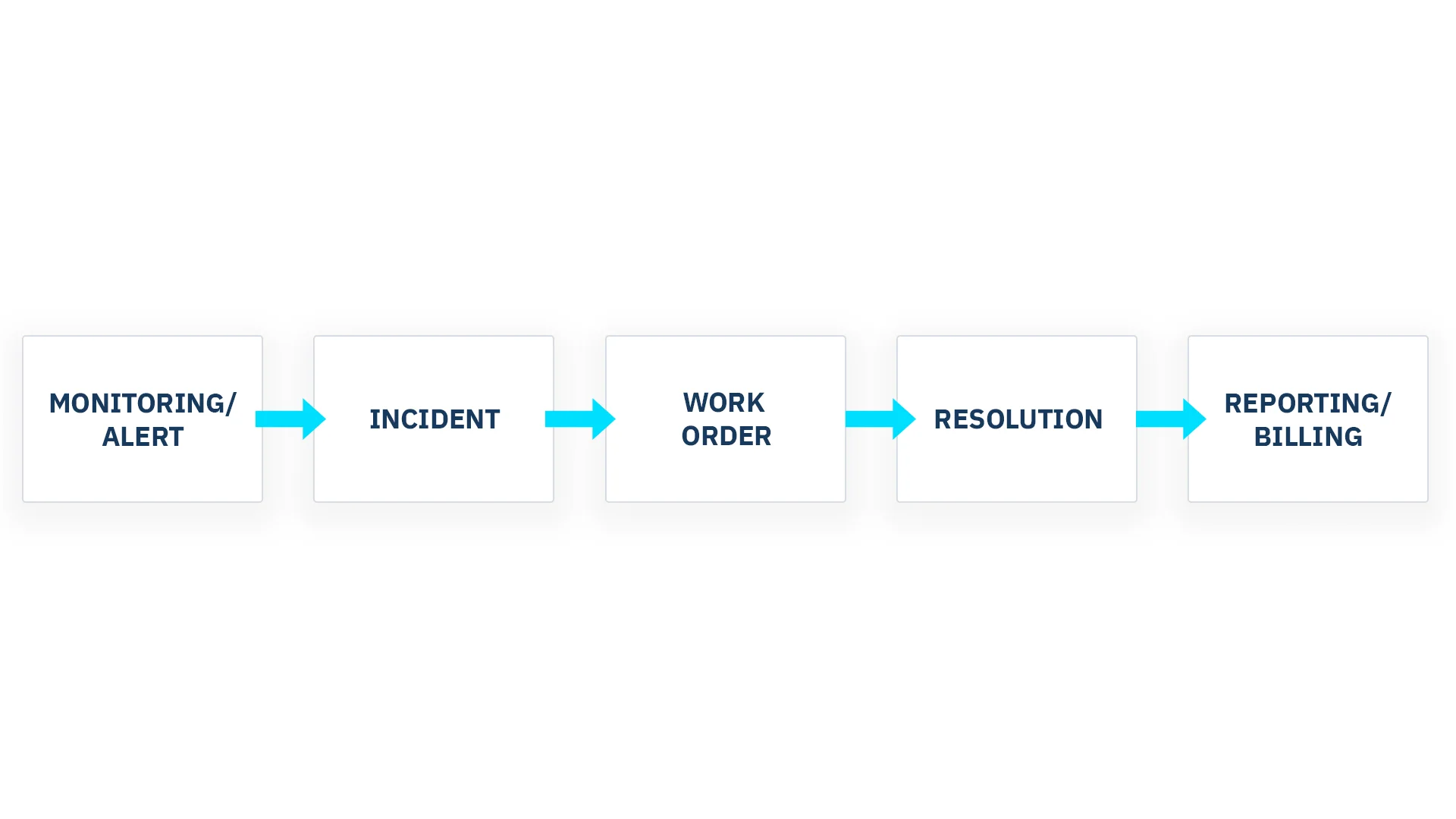
From an actionable issue to a closed incident.
Alectris has run its own O&M operations on ACTIS ERP for more than ten years, and the service process reflects how the work is actually done rather than how a generic ticketing tool assumes it is done.
-
An issue is identified
Either from centralized monitoring and standardized alerts, or from a contractual obligation, an inspection finding or a client request.
-
An incident is created
Alerts are reviewed before an incident is opened, so noise does not become work. Where an operating procedure justifies it, ACTIS ERP can be configured to create incidents automatically from pre-defined alerts.
-
The incident is checked against context
Is there a valid warranty on the equipment. Is this covered by the service contract. Should an insurance claim be initiated.
-
A work order is raised and dispatched
To a technician or a subcontractor, with the task list, the checklist and the safety requirements attached.
-
The work is executed and recorded in the field
Online or offline, by the person doing the job, at the time they do it.
-
The incident is resolved and closed
With a root cause, the downtime, the energy lost, the cost incurred and the contract it belongs to.
Not every alert becomes an incident. Not every incident becomes a work order. Some incidents are administrative, contractual or financial and never require a site visit. The workflow depth on any given implementation depends on configuration and on your own operating procedures.
Incident management for every kind of service event.
An incident in ACTIS ERP is not only a fault ticket. It is the record for any event that affects an asset and needs to be tracked to closure.
Incident types
- Corrective maintenance
- Preventive maintenance
- Extraordinary maintenance
- Warranty claims
- Insurance claims
- Curtailment events
- Lease and administrative events
Treating all of these as incidents means a single history per plant rather than a fault log in one place and a compliance calendar in another.
What the incident record holds
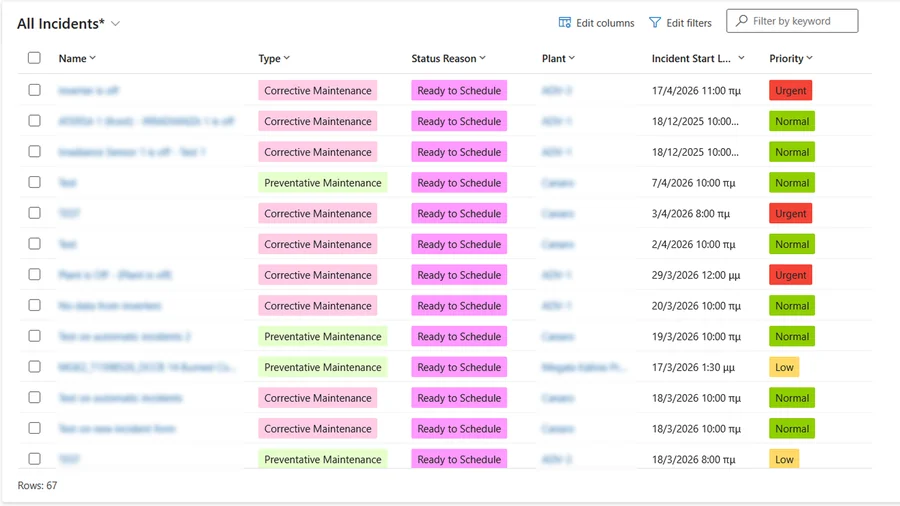
Each incident carries the plant it belongs to, its type, its priority, its status, its start time and the technician tasks associated with it. Energy lost and cost are measured against the incident, and historical incident data such as total downtime per incident and energy lost during an outage is retained for analysis.
Incidents can be filtered and grouped so that an operations manager can see, for example, every urgent corrective incident awaiting scheduling across a portfolio.
Work orders, dispatch and scheduling.
Work orders
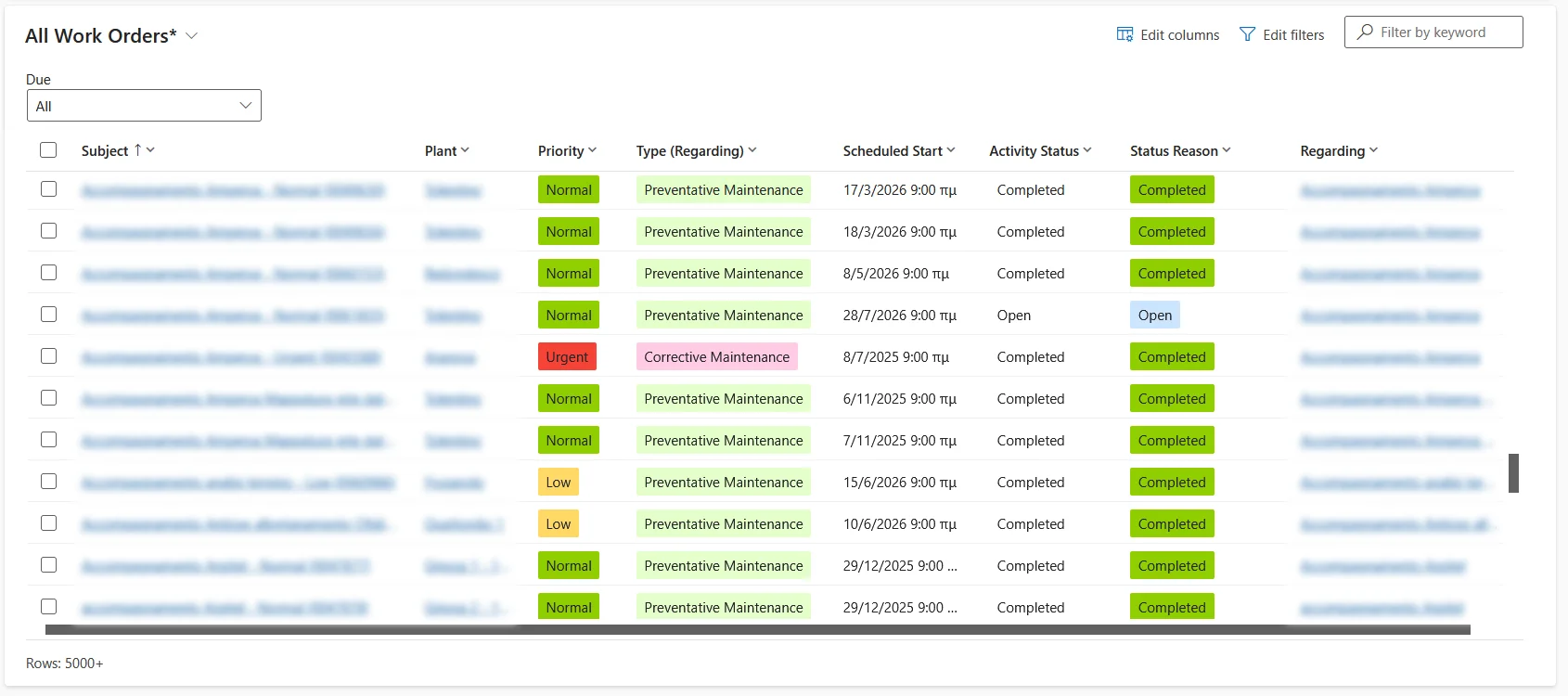
A work order is the instruction to do the job and the record of it being done. It captures the actions taken, the spare parts consumed, the time spent and the associated payments. Pre-defined task lists already outlined in the contract for that asset can be inserted into the work order, so recurring service work is specified the same way every time.
Work order fields are configured to your requirements, which typically include response time, arrival time, resolution time, travel time, associated cost and spare parts usage.
The Incident Scheduler
Incidents can be logged according to contract requirements or emerging needs, resources assigned, and follow-up visits planned. You can track the status of each scheduled incident and review historical and completed ones, which is what makes preventive maintenance compliance visible rather than assumed.
Technician availability
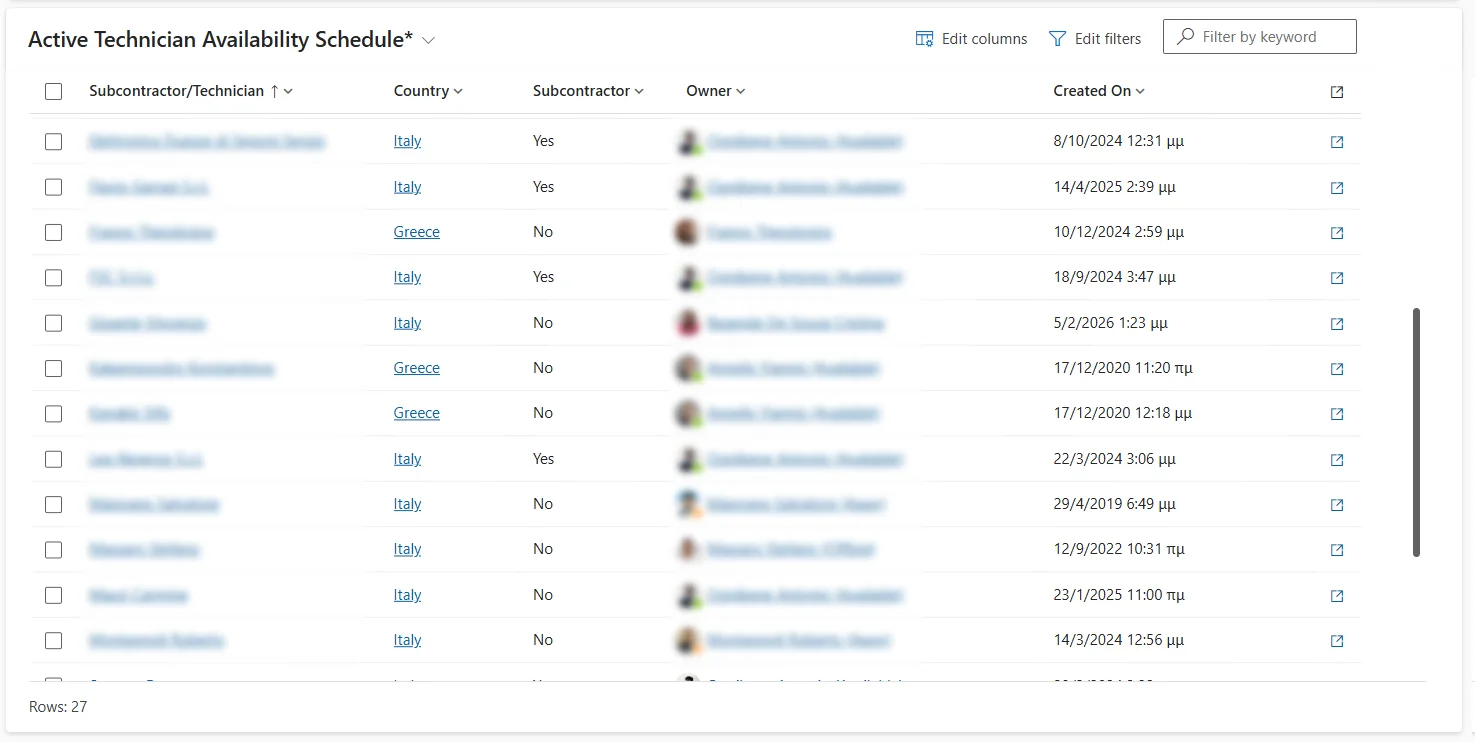
Availability shows where each technician is, which assets they are assigned to, and which tasks they have completed, along with their holidays, absences and on-call history. Overtime is approved and tracked against the same records, so labour cost is not reconstructed from timesheets after the fact.
Contractors and subcontractors
Terms and conditions are held per contractor relationship. Subcontractors receive work orders through the same process as employed technicians and return the same evidence, which is what makes their performance comparable rather than anecdotal.
Field execution in the ACTIS mobile app.
Field work is where most service data is lost. ACTIS ERP includes a mobile app for technicians that works online and offline, so a site with no coverage does not become a paper form typed up three days later.
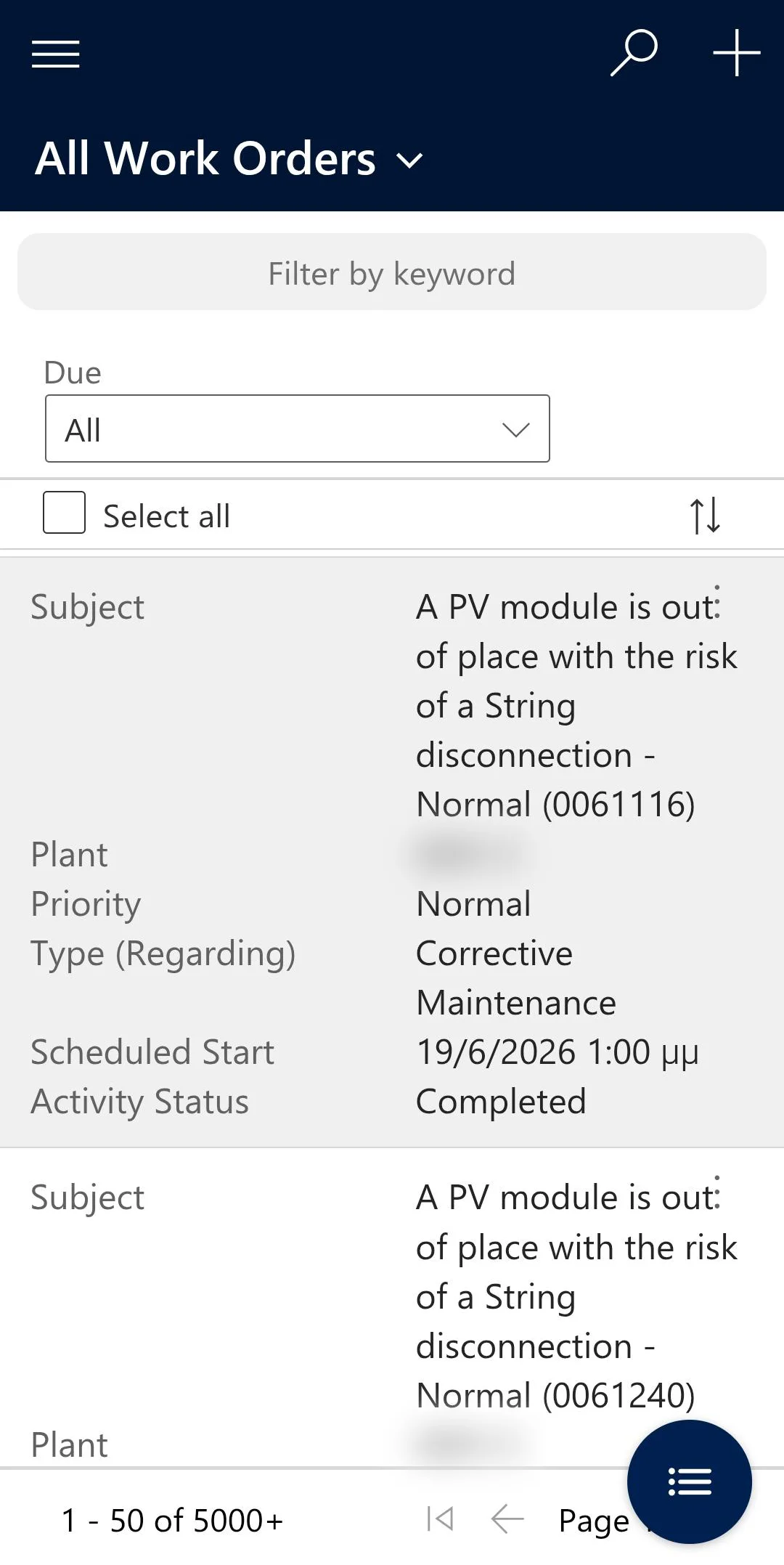
A technician receives the dispatched work order in the app, reviews the details, and locates the site on the map with GPS guidance. On arrival they check in and begin execution. During the job they add comments and notes, upload photographs, complete the checklists and set the work order status. When the job is finished they check out.
The check-in and check-out times, the route and the technician’s position are recorded in the system and visible to the O&M manager. Work time, travel time and distance are calculated automatically, along with an estimated arrival time at the next site. Spare parts used and costs incurred for the visit are recorded by the technician and are immediately available in ACTIS ERP.
Service costs, contract scope and out-of-scope work.
Time spent managing an incident is entered against a timesheet and classified as in-scope or out-of-scope. Out-of-scope activity is marked for billing.
For an O&M provider this is the difference between absorbing work and invoicing it. For an asset owner it is the difference between accepting a charge and verifying it.
Quotes can be issued and approvals tracked for corrective or extraordinary maintenance, so work that falls outside the contract has a documented approval before it is carried out. Costs from site visits and inspections are consolidated in one place, and are validated and approved before billing or payment.
Every incident is associated with a service contract, which is what allows contractual compliance to be verified rather than argued about. If you provide O&M services commercially, the business case for O&M service providers covers this from the provider side.
Broader budgets, loans and portfolio finance sit in financial asset management rather than in the service process.
Resolution records that feed reporting.
Before an incident is closed, the O&M team records the root cause of the failure and its impact on the asset: downtime, kilowatt hours lost and the financial effect. Warranty status is confirmed and the incident is tied to its contract.
Because this is captured as structured data rather than as free text in an email thread, it becomes reportable. Statistical failure analysis such as energy lost by root cause or by equipment type, monthly operational reporting covering corrective and preventive incidents, and contract profitability all draw on the same service records.
ACTIS ERP is built on Microsoft Dynamics 365 with role-based security and field-level permissions, so the audit history of who changed what is available where it matters. Power BI is the visualization layer. How that data is consolidated and presented is covered on technical, operational and financial reporting.
Equipment records, specifications and warranties as asset records are held in technical asset management, and the service process reads from them rather than duplicating them.
Inspections, spare parts, tools and safety.
Inspection templates
Reusable, customizable checklists standardize how inspections are carried out across every site and asset. Field activity types categorize on-site work as inspection, maintenance, installation or audit, so activity can be planned and reported consistently rather than described differently by each technician.
Spare parts
Spare parts are tracked through usage, transfers, returns and installation history, with inventory levels, specifications and compatibility recorded across assets. Automated replenishment uses reorder thresholds to trigger restocking before a shortage delays a repair.
Locations are tracked at the level you actually store parts: warehouses, service vans and on-site lockers. Knowing a part is in a specific van rather than somewhere in the region is the difference between a same-day fix and a second visit.
Tools, PPE and training
Tool usage, availability and location are recorded. Personal protective equipment is managed by model, with certifications, expiry dates and supplier details, and individual items are assigned and audited per person. PPE requirements can be attached to work orders and to field activity types so the right protection is specified for the job rather than assumed.
Training and certification records, including reusable training templates for recurring sessions and compliance refreshers, sit alongside the technician record.
What has centralizing service operations delivered
29%
less time spent on monitoring
77%
less time spent on reporting
In a documented ACTIS ERP implementation with an asset management company running more than 200 solar projects, monitoring, alerting and dispatching were brought onto one platform, in-scope and out-of-scope services were collected consistently, and cost control and client billing were tightened across the organization.
Frequently asked questions
What is solar O&M software?
Solar O&M software manages the operations and maintenance of solar and renewable assets after they are energized. It typically covers maintenance planning, incident and work order handling, technician and subcontractor coordination, spare parts, and the cost and compliance records that follow. ACTIS ERP delivers this as part of a renewable energy ERP, so service records sit alongside the plant, contract and financial data they relate to rather than in a separate maintenance tool.
Does ACTIS ERP replace a CMMS?
ACTIS ERP covers the maintenance management functions a CMMS provides, including preventive and corrective maintenance, work orders, checklists, spare parts and asset history. The difference is scope. A CMMS generally stops at the maintenance record. ACTIS ERP connects that record to the service contract, the in-scope and out-of-scope classification, the cost, the billing and the reporting, which is why organizations running renewable portfolios use it instead of a general maintenance tool.
Can technicians use ACTIS ERP in the field without a connection?
Yes. The mobile app works online and offline. Technicians can review the work order, follow GPS guidance to the site, check in, complete checklists, add notes and photographs, record spare parts and time, and check out. Data synchronizes when connectivity returns.
How does service management connect to monitoring?
Monitoring centralizes data from your existing SCADA systems, monitoring platforms and data loggers and produces standardized alerts. Service management begins when an alert or another trigger represents an issue that requires action. Alerts are reviewed before an incident is opened, and ACTIS ERP can be configured to create certain incidents automatically. The two are separate stages of one workflow within the same system.
How are service costs and out-of-scope work tracked?
Time spent on an incident is entered against a timesheet and classified as in-scope or out-of-scope, and out-of-scope activity is marked for billing. Quotes can be issued and approvals tracked for corrective or extraordinary maintenance. Spare parts consumption, labour, travel and site visit costs are consolidated against the incident and validated before billing or payment.